The store will not work correctly when cookies are disabled.
Our website requires cookies to work correctly. Without cookies, we cannot track your shopping cart or receive your orders. We also use traffic log cookies to identify which pages are being used. This helps us analyze data about web page traffic and improve our website by better tailoring it to customer needs. We only use this information for statistical analysis purposes and then the data is removed from the system.
A cookie in no way gives us access to your computer or any information about you, other than the data you choose to share with us.
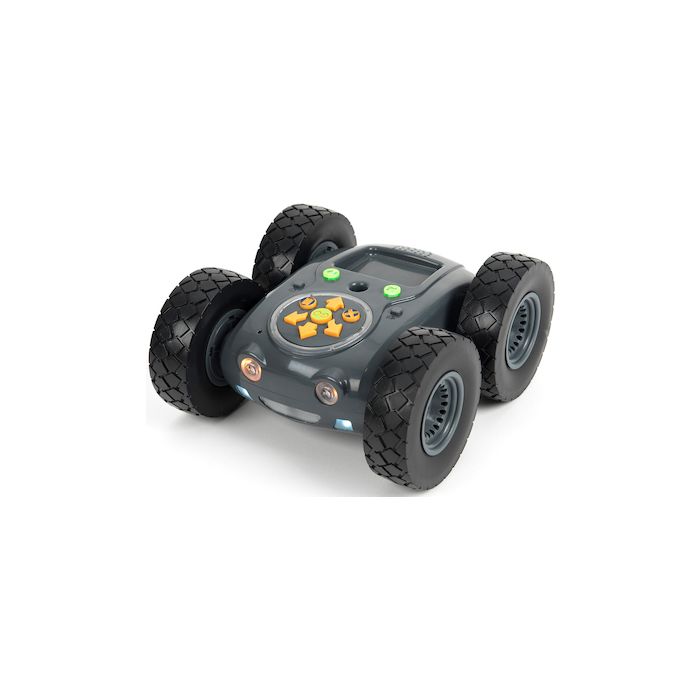
Tuff-Bot - the Rugged Robot is perfect for both classroom and outdoor use, including the hallway, gym, ballfield, playground, or even the woods! A tough shell, oversized wheels, and adjustable speeds enable Tuff-Bot to handle uneven terrain. Tuff-Bot is adaptable to many settings, taking it beyond the boundaries that limit many robots, encouraging exploration across the curriculum.
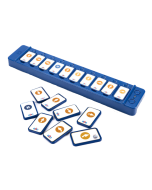
Control Tuff-Bot using its onboard directional buttons that send it forward and back, and turn it left or right. Alternatively, the Bluetooth connection offers coding and control of Tuff-Bot remotely with a tablet, PC, Mac, Chromebook, or the TacTile Code Reader. Built-in obstacle avoidance helps Tuff-Bot navigate around barriers, reversing and redirecting as required. Variable settings enable control over pauses and turn speeds, allowing easy adaptation to different environments.
NEW! Free Tuff-Bot Lessons offer guided activities for teachers and students.
Using Tuff-Bot is a hands-on, highly engaging way for students to learn coding basics and develop logical thinking, problem-solving, and communication skills. Tuff-Bot encourages collaboration and extends robotics into environmental exploration.
Highlights include:
• Rechargeable -- with LED ring to show charge level • Outdoor friendly with 3 speed settings suitable for different surfaces • Compatible with the TacTile Code Reader for remote operation • Memory of up to 256 steps • Program using 45-degree turns • 20cm travel distance for each step • Built-in distance sensors to avoid obstacles • Hole to insert camera mount that comes with the Robot Sports Camera
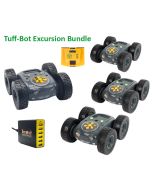
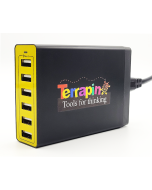
All robots come with their own USB cable for charging individually. Pair them with our Six-Bot USB Charger to charge up to six of any robot at once, or charge them individually with a USB Wall adapter (sold separately).
PLEASE NOTE – To preserve battery life, try not to leave robots and rechargeable accessories charging after they have been fully charged. Additional information about the rechargeable batteries in this product can be found on our Battery FAQ's page.
Tuff-Bot Teaching Tools & Resources
CURRICULUM
Tuff-Bot Lessons – This FREE new resource offers a ready‑to‑teach, 15‑chapter curriculum that helps teachers run engaging, outdoor robotics units with Tuff‑Bot – the Rugged Robot. It combines clear setup and care guidance with scaffolded, hands‑on programming and sensor activities that build student confidence and develop problem‑solving skills.
RESOURCES
Robot Resource Pages – Meet your robot, learn ways to use it in the classroom, and read articles relating to actual experiences. These pages bring together guides, tips, and support materials to help you get the most out of your robots. >> Visit the Tuff-Bot Resources // Terrapin Resources Center >> Lessons to get started with – Introductory Tuff-Bot Lessons
Terrapin's YouTube channel – Explore a growing library of Tuff-Bot related videos. >> Have videos featuring Terrapin robots and accessories? We’d love to share them with the wider community—just fill out the Customer Contribution Form.
Social Media channels – Discover ideas, celebrate creativity, and stay connected with fellow educators inspiring our youngest learners. >> Follow us on Facebook (BeeBot.us) // Instagram (terrapin.tools.for.thinking)
Putting Skills to Practice
Tuff-Bot Online Emulator – Students can explore and experiment with the free online Tuff Bot emulator, which expands what’s possible beyond the physical robot: a roomy virtual arena to roam, optional rocks for practicing obstacle avoidance, and advanced features to test ideas before trying them on the real Tuff Bot. It’s a friendly, classroom ready way to introduce Tuff Bot’s moves to the whole group before students work with the floor robots individually.
Compare Accessories – Which accessories and curriculum products work with each robot? The comprehensive Accessories Chart has you covered.
>> See also the Using the Accessories page for tips on making the most of your robot accessories and creative ways to use them in the classroom.
Email Newsletters – Click HERE to sign up for one, two, or all three newsletters for practical lesson ideas, real teacher stories, helpful classroom tips, special offers, and the latest updates to support you throughout the school year.
Bee-Bot Buzz, sent bi-monthly during the school year, gives teachers practical guidance, lesson tips, and product updates for using Bee-Bot, Blue-Bot, and related STEM tools in the classroom. It showcases creative educator ideas and supports engaging, hands-on learning for young students.
Turtle Talk, sent bi-monthly, alternating its schedule with the Bee-Bot Buzz newsletter, highlights the latest news, tips, and tools for Logo programming and Terrapin’s educational robots and accessories. It keeps readers up to date on product developments, community stories, and practical guidance for teaching and learning with Logo and turtle robots.
Bee-Bot Insider delivers quick, useful updates only when there’s something new to share. Stay connected to the amazing Bee-Bot & Blue-Bot user community and be the first to hear about new Bee-Bot emulator mats, customer stories, and products for Bees and Blues. We’ll share teaching tips (maybe even yours!) and ask you how we can better support your coding adventures. Plus, enjoy periodic special offers just for Bee-Bot Insiders. – Note: archives are not available.