Bee-Bot

$99.95
In stock
SKU
beebot_ss

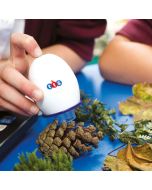
Bee-Bot is an exciting robot designed specifically for use by young children. This colorful, easy-to-operate, and friendly little robot is a perfect tool for teaching counting, sequencing, directionality, problem-solving, estimation, and just having fun!

The See & Say feature gives Bee-Bot a voice and perception! Record a message on each of the arrow keys to play back when entering a program or when Bee-Bot is following one.  Bee-Bot See & Say can also detect and respond with either a beep or a pre-recorded message when encountering another See & Say Bee-Bot or Blue-Bot.

Sturdy construction and colorful design entice children to put Bee-Bot through its paces. Directional keys are used to enter up to 200 commands which send Bee-Bot forward, back, left, and right. Pressing the green GO button starts Bee-Bot on its way. Bee-Bot blinks and beeps at the conclusion of each command to allow children to follow Bee-Bot through the program they have entered and then confirms its completion with lights and sound. Children want to use Bee-Bot over and over and are inspired to enter ever more creative and complex command sequences.

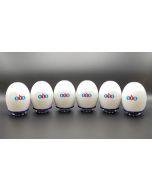
All robots come with their own USB cable for charging individually. Pair them with our Six-Bot USB Charger to charge up to six of any robot at once, or charge just Bee-Bots and Blue-Bots cable-free with their own Docking Station. USB Wall adapters are sold separately.


PLEASE NOTE – To preserve battery life, try not to leave robots and rechargeable accessories charging after they have been fully charged. Additional information about the rechargeable batteries in this product can be found on our Battery FAQ's page.


Bee-Bot / Blue-Bot Teaching Tools & Resources

CURRICULUM

  • Bee-Bot Lessons – Introduce young children to foundational coding skills—such as sequencing, directionality, and problem-solving—through the playful, accessible interface of Bee-Bot and Blue-Bot. With over 200 standards-aligned activities across the K–2 curriculum and differentiated instruction tips, teachers can easily adapt lessons for all learners. Integrate technology into math, science, literacy, social studies, the arts, and world languages while students build navigation, counting, geometry, patterning, and storytelling skills—making learning engaging and hands-on throughout the year.
  • Problem-Solving with Bees and Blues – Engage students in hands-on, challenge-based activities that use Bee-Bot and Blue-Bot's 90° turns to build skills in routing, graphing, prediction, logic, sequencing, and collaboration. Students progress from creating simple paths to tackling complex routes tied to Cartesian coordinates, testing solutions with their robots for immediate feedback. The curriculum includes a teacher guide with clear objectives, 150 easy-to-print student challenges of varying difficulty, and a Student Record Form for tracking progress—empowering elementary learners to explore robotics, strengthen coding confidence, and turn problem-solving into an adventure.
  • Exploring Math with Blue-Bot – Bring math to life through fun, standards-based activities that build essential K–3 skills. Ten scaffolded chapters lead students from counting and place value to measurement, graphing, geometry, and fractions—all through hands-on coding. The Teacher Guide provides strategies for differentiating instruction, and a Student Record Form helps track progress. The lessons were designed with Blue-Bot in mind, leveraging its unique 45° turn and repeat loop capabilities, but most lessons are also compatible with Bee-Bot, allowing students familiar with it to explore these expanded features online.
  • Storytime STEM+C Adventures – Combine literacy with coding for Pre-K–2 students. Choose from five different adventures that focus on science, engineering, or math, each with children’s books and a full set of materials for 24 students. Designed for use with Bee-Bot or Blue-Bot, these engaging activities are an effective way to build a solid foundation in language arts and computational thinking.

RESOURCES

EXTRA CURRICULAR

Putting Skills to Practice

  • Online Emulators – These fun apps let you program a virtual robot on any device that supports a browser. Choose any of Terrapin's Learning Mats as a surface to explore or set your own challenges with a blank surface. A great way to introduce Bee-Bot and Blue-Bot’s moves to a class before moving on to the floor robots individually.

Choosing a Robot & Accessories


Email Newsletters – sign up for any or all of them HERE

  • Bee-Bot Buzz, sent bi-monthly during the school year, gives teachers practical guidance, lesson tips, and product updates for using Bee-Bot, Blue-Bot, and related STEM tools in the classroom. It showcases creative educator ideas and supports engaging, hands-on learning for young students.
  • Turtle Talk, sent bi-monthly, alternating its schedule with the Bee-Bot Buzz newsletter, highlights the latest news, tips, and tools for Logo programming and Terrapin’s educational robots and accessories. It keeps readers up to date on product developments, community stories, and practical guidance for teaching and learning with Logo and turtle robots.
  • Bee-Bot Insider delivers quick, useful updates only when there’s something new to share. Stay connected to the amazing Bee-Bot & Blue-Bot user community and be the first to hear about new Bee-Bot emulator mats, customer stories, and products for Bees and Blues. We’ll share teaching tips (maybe even yours!) and ask you how we can better support your coding adventures. Plus, enjoy periodic special offers just for Bee-Bot Insiders. – Note: archives are not available.
We found other products you might like!