InO-Bot with Terrapin Logo

$49.95
In stock
SKU
inobot_logo

InO-Bot is the Logo turtle come to life! Create Logo programs and watch the screen turtle and InO-Bot execute them at the same time with the included Terrapin Logo 3-year Household license

GUIDANCE - View a PDF of Getting Started with InO-Bot and Terrapin Logo

Terrapin Logo, which is included with InO-Bot, has been optimized to smoothly interact with the robot. The Logo turtle, familiar to generations of students, has long led the way in teaching students to code by making colorful shapes and designs. With InO-Bot, the turtle jumps off the screen and follows Logo programs in space, drawing on paper or whiteboard. The Logo environment, always exciting and motivating for students, becomes even more so with an actual turtle robot running around!

In addition to drawing with a pen, which can be raised and lowered through program control, InO-Bot offers many additional inputs and outputs that can be controlled and read, providing additional challenges and motivation for young coders. These include 2 LED headlights, 8 multicolor RGB running lights, sounds and notes, light, proximity sensors, and a line follower. Like Logo itself, InO-Bot makes it easy for budding roboticists to get started but continues to provide challenges to even the most experienced.

InO-Bot connects via Bluetooth on Macintosh or Windows computers and may be controlled with the desktop versions of Terrapin Logo or via the online version using the Chrome browser. Terrapin Logo, which includes commands and properties to create programs for and read inputs from InO-Bot, comes with each InO-Bot. InO-Bot is powered by a USB-rechargeable battery which provides years of use.

InO-Bot includes:

     • Terrapin Logo 3-year Household license
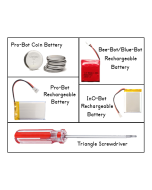
     • Rechargeable battery
     • Pen holder with lift/lower capability
     • hole for use with the Robot Sports Camera and mount
     • 2 white LED headlights, independently programmable
     • 8 RGB LED lights, independently programmable
     • Sounds and notes
     • Light sensor
     • Sound sensor
     • Line follower
     • Range finder
     • Proximity sensors

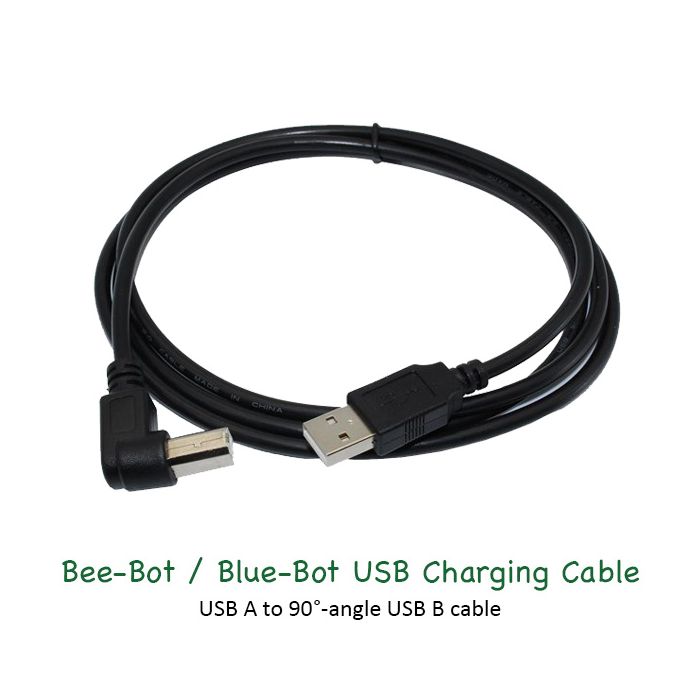
All robots come with their own USB cable for charging individually. Pair them with our Six-Bot USB Charger to charge up to six of any robot at once, or charge them individually with a USB Wall adapter (sold separately).


PLEASE NOTE – To preserve battery life, try not to leave robots and rechargeable accessories charging after they have been fully charged. Additional information about the rechargeable batteries in this product can be found on our Battery FAQ's page.


InO-Bot with Terrapin Logo Teaching Tools & Resources

RESOURCES

  • Robot Resource Pages – Meet your robot, learn ways to use it in the classroom, and read articles relating to actual experiences. These pages bring together guides, tips, and support materials to help you get the most out of your robots.
           >> Visit the InO-Bot Resources  //  Terrapin Resources Center
           >> Lessons to introduce your robot – InO-Bot
           >> Start coding with the Getting Started with InO-Bot and Logo Guide.
  • Customer Stories – See how others are using InO-Bot and other Terrapin-related technology.
           >> Click here for guidance on how to share your story too!
  • Terrapin's YouTube channel – Explore a growing library of InO-Bot related videos.
           >> Have videos featuring Terrapin robots and accessories? We’d love to share them with the wider community—just fill out the Customer Contribution Form.
  • Social Media channels – Discover ideas, celebrate creativity, and stay connected with fellow educators inspiring our youngest learners.
           >> Follow us on Facebook (BeeBot.us)  //   Instagram (terrapin.tools.for.thinking)

SPECIAL OFFERS – Controlling the InO-Bot turtle robot directly from Logo just got a little easier!
       >> Get 1 free InO-Bot with the purchase of a 3-year Logo HOUSEHOLD license.
       >> Get 1 free InO-Bot Six Pack with the purchase of a any Logo SCHOOL license.

Putting Skills to Practice

  • Turtle Tuesdays – A weekly programming challenge created for Terrapin Logo users, which often can be used with Pro-Bot, InO-Bot, and Kinderlogo. Each Tuesday, a new challenge is posted on Facebook (BeeBot.us) and Instagram (terrapin.tools.for.thinking), with solutions released the following week on the Turtle Tuesdays page. All past challenges are archived there, along with links and solutions conveniently organized in the sidebar.

    The challenges are designed to keep students engaged and thinking creatively. Younger learners can begin with simple designs, while older students tackle more advanced projects. As they experiment with new commands, students naturally make each challenge their own. These activities offer a fun, dynamic way to explore the Logo programming language—and the experience becomes even more rewarding when students collaborate.

Choosing a Robot & Accessories

  • Explore with Coding Journeys – Which robot best fits your students' skills and interests? Coding Journeys help you find out! These side-by-side online activities for Bee-Bot, Blue-Bot, and Pro-Bot showcase each robot’s capabilities as they work toward similar goals. Just click on a mat to open that robot’s Emulator and start coding.
           >> See also – Compare Bee-Bot and Blue-Bot Features  //  Terrapin Robots Comparison Chart
  • Compare Accessories – Which accessories and curriculum products work with each robot? The comprehensive Accessories Chart has you covered.
           >> See also the Using the Accessories page for tips on making the most of your robot accessories and creative ways to use them in the classroom.

Email Newsletters – sign up for any or all of them HERE

  • Bee-Bot Buzz, sent bi-monthly during the school year, gives teachers practical guidance, lesson tips, and product updates for using Bee-Bot, Blue-Bot, and related STEM tools in the classroom. It showcases creative educator ideas and supports engaging, hands-on learning for young students.
  • Turtle Talk, sent bi-monthly, alternating its schedule with the Bee-Bot Buzz newsletter, highlights the latest news, tips, and tools for Logo programming and Terrapin’s educational robots and accessories. It keeps readers up to date on product developments, community stories, and practical guidance for teaching and learning with Logo and turtle robots.
  • Bee-Bot Insider delivers quick, useful updates only when there’s something new to share. Stay connected to the amazing Bee-Bot & Blue-Bot user community and be the first to hear about new Bee-Bot emulator mats, customer stories, and products for Bees and Blues. We’ll share teaching tips (maybe even yours!) and ask you how we can better support your coding adventures. Plus, enjoy periodic special offers just for Bee-Bot Insiders. – Note: archives are not available.
We found other products you might like!